Know exactly who walks through the door
Send a personalised invitation, let each guest confirm, issue them a QR ticket, and scan it at the entrance. One list, from the invite to the door.
Free to start. No card, no setup call.
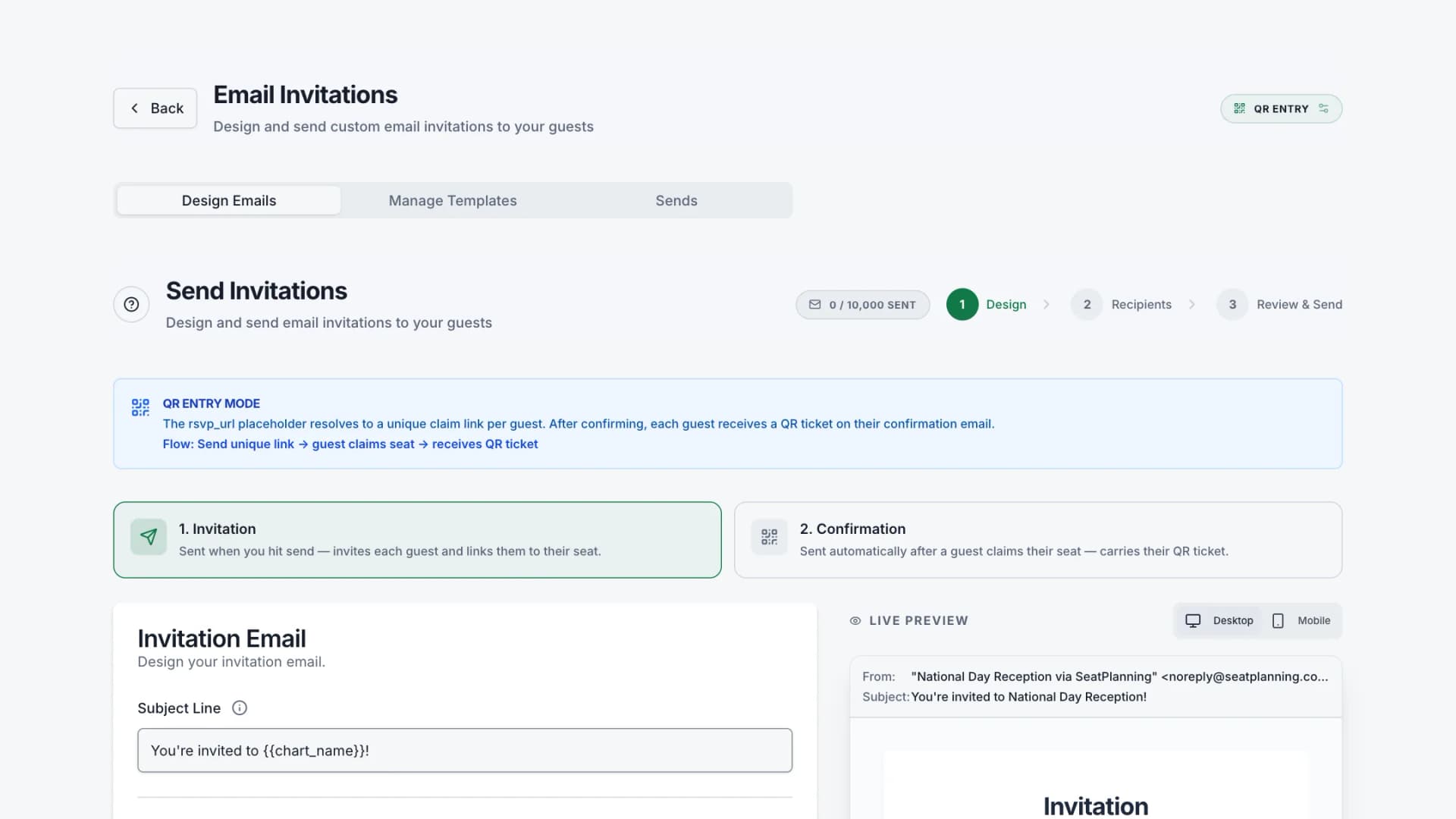
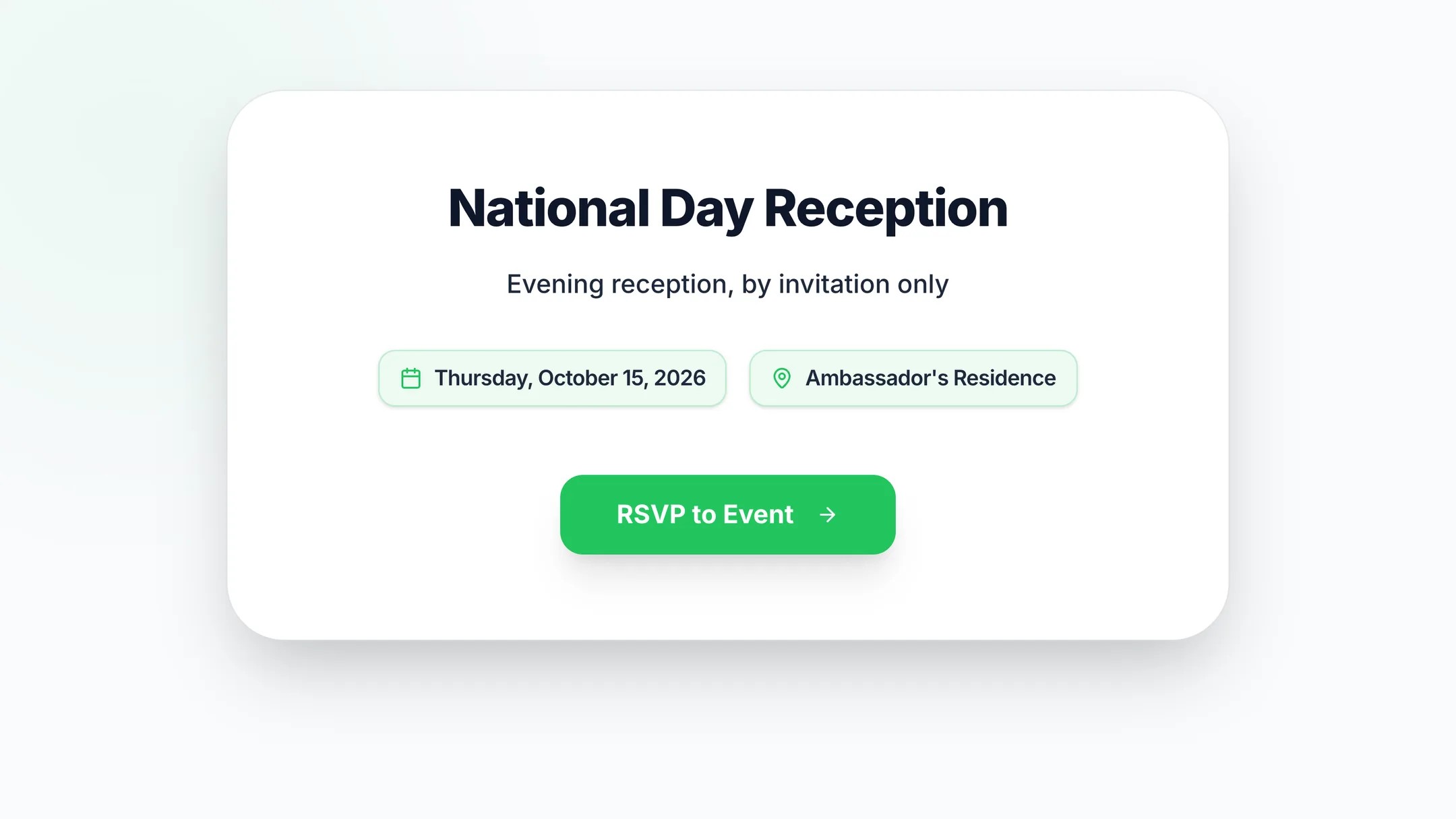
From invitation to entry, in one place
Four steps, all handled by the same guest list — so the name on the door is the name you invited.
- Step 1
Design the invitation
Build the email once and personalise it per guest. Your wording, your branding — no generic template with someone else's logo at the bottom.
- Step 2
They confirm and get their pass
Each guest gets their own link, confirms attendance, and immediately receives a QR pass by email — ready on their phone or printed. It belongs to them and to that event only.
- Step 3
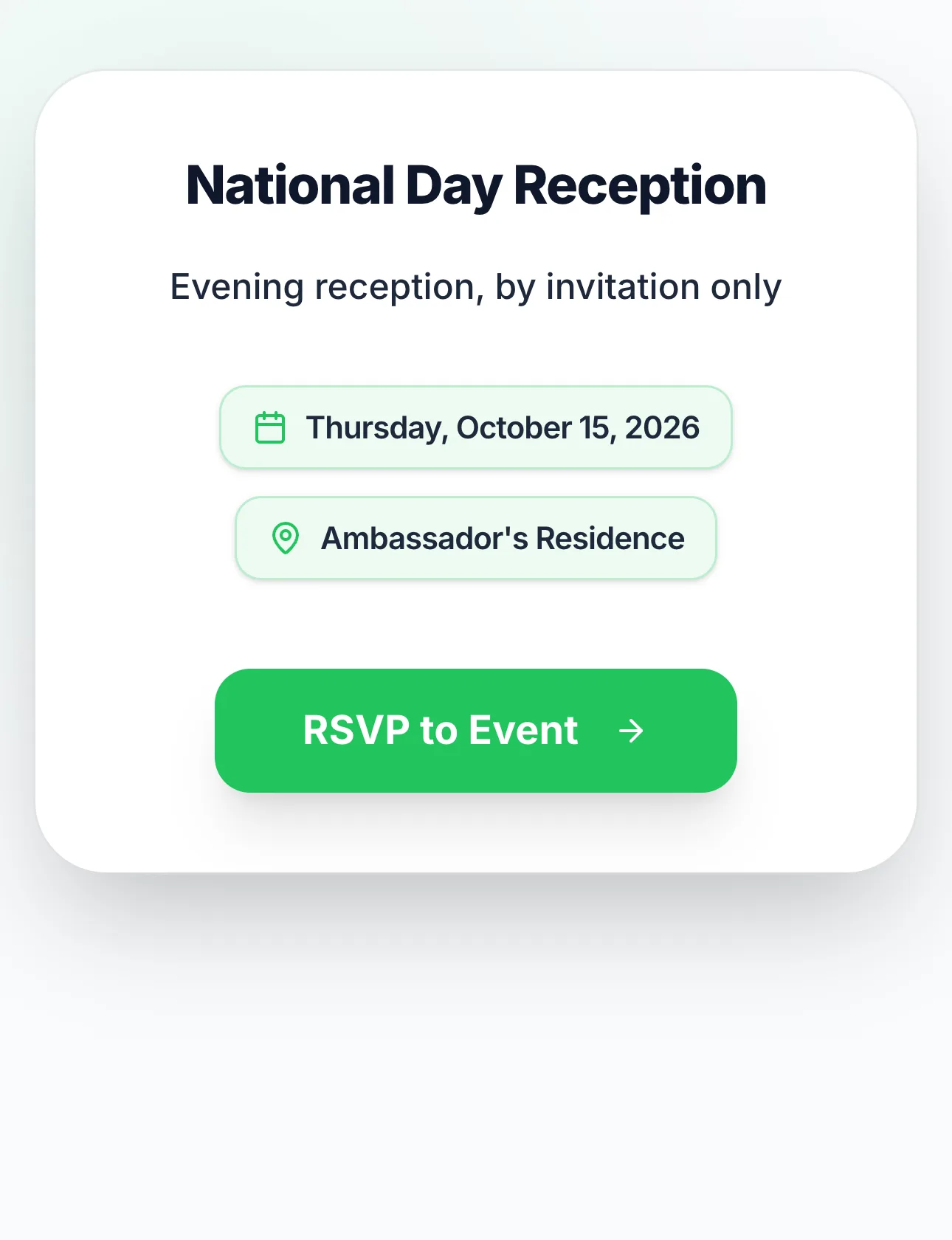
You see who has replied
Confirmations land on one dashboard — who is coming, who declined, who has not answered, and who is already through the door.
- Step 4
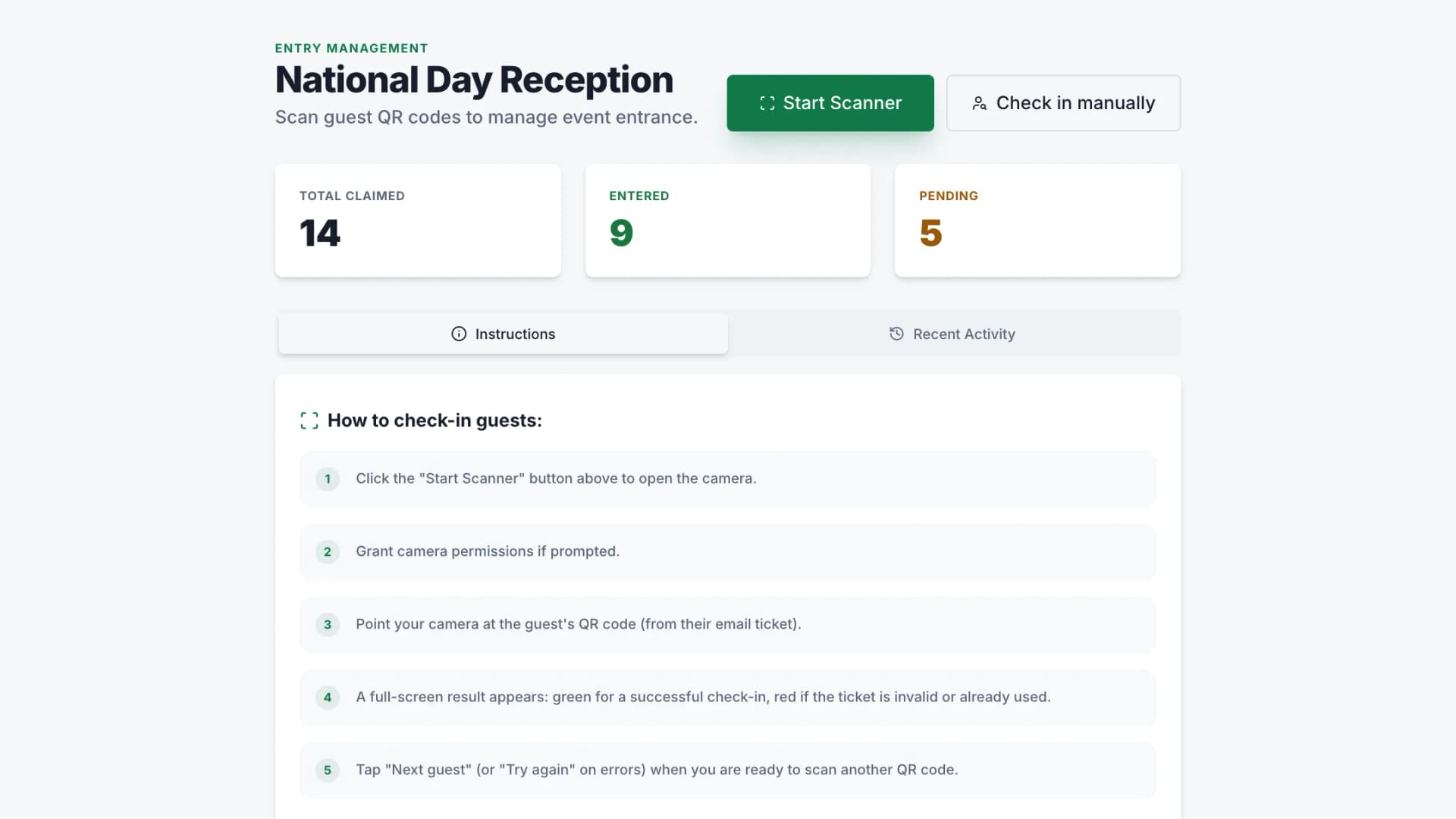
Scan them in
Scan at the entrance from any phone. You see who has arrived, who has not, and anyone presenting a pass that is not valid.
For events where the guest list is the point
When entry has to be controlled and every invitation is addressed to a named person.
Embassies & consulates
Personalised invitations to named guests, confirmations tracked per person, and a controlled door on the night.
Galas & fundraisers
Issue passes to donors and their guests, and know at the entrance who has arrived without a printed list.
Private & members' events
Invitation-only evenings where a pass should work once, for the person it was issued to.
Corporate receptions
Launches, AGMs and client evenings where reception needs to check names against the list quickly.
Why not just a check-in app, or just an invitation tool?
Most check-in apps start at the door
They assume you already have a guest list from somewhere else, so you export a spreadsheet from your invitations, import it, and hope the two stay in step. Here the list that was invited is the list at the door — there is nothing to reconcile.
Most invitation tools stop at RSVP
They will tell you who replied and then hand you a CSV. Nobody gets a pass, and the entrance is back to a printed sheet and a pen.
The seating chart is there when you need it
Plenty of events only need entry control, and you can use this without ever opening a chart. But when placement matters — and at a formal dinner it usually does — the same guest list already knows where everyone sits.
Common questions
Do guests need to install an app?
No. The invitation arrives by email, the guest confirms in their browser, and the QR pass is an email they can show on their phone or print.
What do we scan with?
Any phone with a camera. The person on the door opens the check-in screen and scans — there is no separate scanner to buy or rent.
Can we personalise the invitation email?
Yes. You write the email and it is personalised per guest, so each invitation is addressed to the person receiving it rather than to a list.
What happens if someone forwards their pass?
A pass is issued to one guest for one event, and the door screen shows you when a pass has already been used, so a forwarded copy is visible rather than silent.
Do we have to use the seating chart?
No. Invitations, confirmations and entry work on their own. The seating chart is available on the same guest list if you later need to place people.
Can several people manage the same event?
Yes. You can invite colleagues to collaborate on the same guest list, so whoever is on the door is working from the same information as whoever sent the invitations.
Run your next event on one guest list
Start free, and only pay when the event is real.