Welcome to SeatPlanning
Seating charts have never been easier. With SeatPlanning, you can create beautiful, interactive seating charts in minutes, not hours. Whether it's for classrooms, restaurants, conferences, weddings, theaters, or any space where people gather.
Create your first seating chart — or try the free builder with no account at all.
What Makes Us Different
Our platform combines the power of modern web technology with intuitive design to give you a simple yet powerful tool to visually create any seating arrangement:
- Drag & Drop Interface: Easily arrange seats, tables, and designated areas for any space
- Import Seats: Quickly import seat lists from Excel directly into your seating chart
- Custom Fields: Add and edit custom fields for your seats. Track attendee information, special requirements, or seating preferences
- Export Options: Export your seating chart to Excel or a professionally styled PDF, ready to print or share
- Guest Management: Share links with attendees, let them confirm their seats, and track responses effortlessly
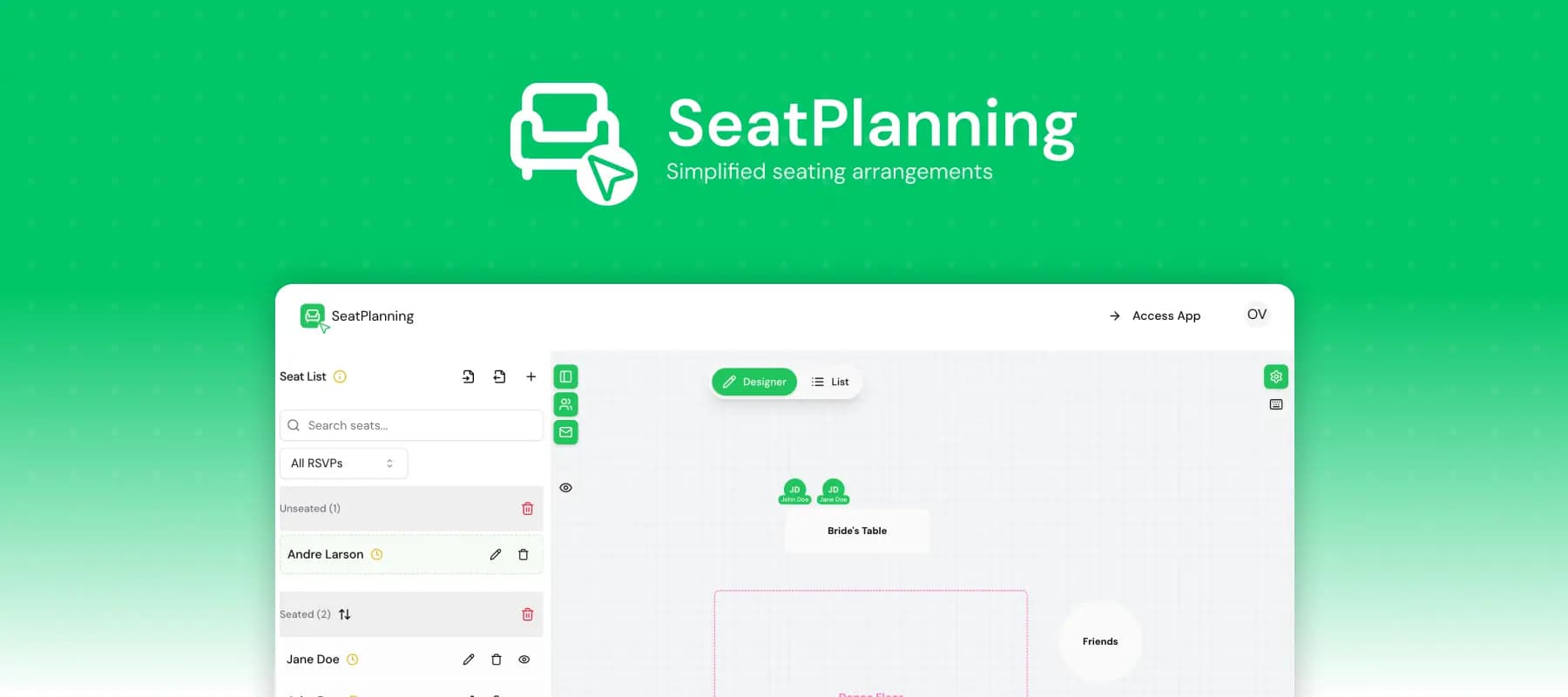
Here's a look at our seating chart interface:
 SeatPlanning Chart
Getting Started
Creating your first seating chart is simple:
- Sign up for a free account
- Create a new seating chart project
- Import your attendee list from Excel or add seats manually
- Design your space layout with tables, rows, or custom arrangements
- Drag and drop attendees into their optimal positions
- Share access links for confirmation and feedback
- Export a print-ready PDF (Excel and watermark-free PDFs come with an Event Pass or a paid plan)
Step-by-step guides for every one of these live in the help center.
Perfect for Any Space
Whether you're organizing a classroom seating chart, restaurant dining area, conference room, wedding reception, theater performance, or any space where people gather, SeatPlanning adapts to your needs.
Ready to get started? Create your free account. We can't wait to see what amazing seating arrangements you'll create!