If you plan events for a living, you already know the real job isn't drawing one seating chart well. It's drawing twelve of them — for twelve different clients, twelve different venues, twelve sets of branding guidelines — without losing track of which guest list is current.
Most planners end up running this on spreadsheets, loose PDFs, and a growing pile of "FINAL_v3_actually_final.xlsx" files. It works, until it doesn't: a caterer gets an outdated table count, a bride spots her cousin at the wrong table in a screenshot from three revisions ago, or you spend an evening rebuilding a layout you've already built four times this year.
Here's how planners who manage multiple clients are fixing that — and what to actually look for in seating chart software built for agency work, not just one event.
The real cost of running every client on spreadsheets
A spreadsheet can hold a guest list. It can't hold a floor plan, a venue layout, your branding, and three rounds of client feedback at the same time — so planners end up splitting the work across a spreadsheet, a PDF, and a group chat. Every update has to be copied into all three, by hand, for every client, every time.
That's not a guest-list problem. It's a tooling problem: the format was never built to hold a live, shared, visual plan for more than one event at a time.
Quick fix: if you're managing more than two active clients, move the guest list and the floor plan into the same tool. The moment they live in two different files, they will eventually disagree.
One dashboard for every client, instead of one folder per client
The fix isn't a better spreadsheet template — it's a multi-event command center where every active client and project lives in one place. Filter by status, deadline, or venue, and jump straight into the floor plan, the guest list, or the export queue without losing where you left off on the other eleven events.
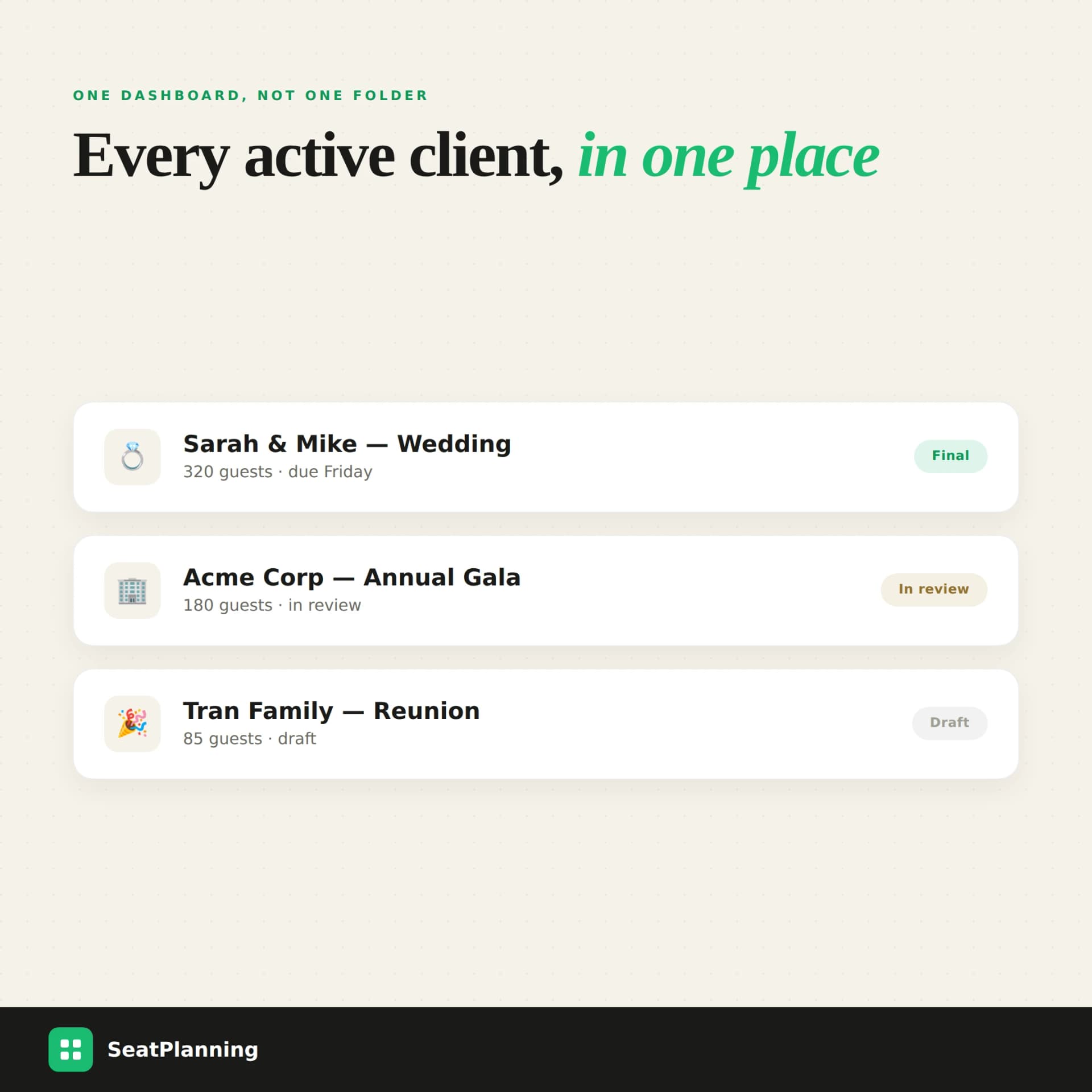
Multi-client dashboard showing three events — a wedding marked final, a corporate gala in review, and a family reunion in draft — each with guest count and status
That single change — one dashboard instead of one folder per client — is usually what separates planners who feel in control of a busy month from planners who feel like they're drowning in tabs.
Quick fix: before adding a new client, open your current tool and count how many clicks it takes to find their guest list. If the answer is "search my email," the dashboard is the gap to close first.
Branded exports that make every client think you built this just for them
Every client wants their seating chart to look like their event, not a generic export from a free tool. Professional seating software lets you ship every PDF and image with your agency's logo, palette, and footer — so the venue, the caterer, and the client are all looking at the same branded document instead of a plain export with your tool's watermark on it.
This matters more than it sounds: a branded, legible export is often the only deliverable a venue coordinator or caterer ever sees from you. It's doing marketing for your agency whether you intend it to or not.
Quick fix: if your current export still shows the seating tool's name instead of yours, that's a client-facing branding gap — fix it before your next proposal goes out.
Reusable templates instead of rebuilding the same ballroom from zero
Most professional events repeat shapes you've already solved: a 500-guest ballroom, a tiered theater setup, a boardroom for twelve. Rebuilding each one from scratch for every new client is the single biggest avoidable time sink in event planning — and it's also the easiest one to fix, by saving proven layouts as reusable templates and adapting them instead of starting over.
If you've already designed a great theater-style layout for one conference, there's no reason a similar venue for the next client should take the same hours again. See how the right seating chart software stacks up if you're still deciding between tools.
Quick fix: the next time you finish a layout you're proud of, save it as a template immediately — not "later," because later is when you're already mid-deadline on the next client.
Client collaboration without forty email threads
Clients want to see the plan. They also want to move a table, ask about a guest, or flag a conflict — and historically that meant a new PDF export and a new email thread for every single change. Client collaboration roles fix this by letting a client view or edit their floor plan directly, with permission levels you control, so feedback happens on the live chart instead of in a comment chain attached to last week's screenshot.
Quick fix: give clients view-only access by default and upgrade specific clients to edit access only when they've proven they won't move things without telling you. It saves the relationship as much as the layout.
Guest lists and RSVPs that don't drift from the chart
The most common late-stage panic in event planning is discovering the guest list and the seating chart have quietly diverged — three RSVPs came in after the last export, a dietary restriction never made it into the final PDF, a plus-one was added to the spreadsheet but never placed on the chart. Smart guest management closes that gap by keeping bulk imports, VIP tags, and RSVP status next to the canvas itself, so the chart and the roster can't disagree by the time you print.
If you're testing tools before committing, the free seating chart maker is a fast way to see whether guest import and table assignment actually feel connected, or just adjacent.
Quick fix: make "import guest list" the first step of every new client project, before you touch the floor plan — not an afterthought once the layout already exists.
Spreadsheets vs. generic design tools vs. purpose-built planner software
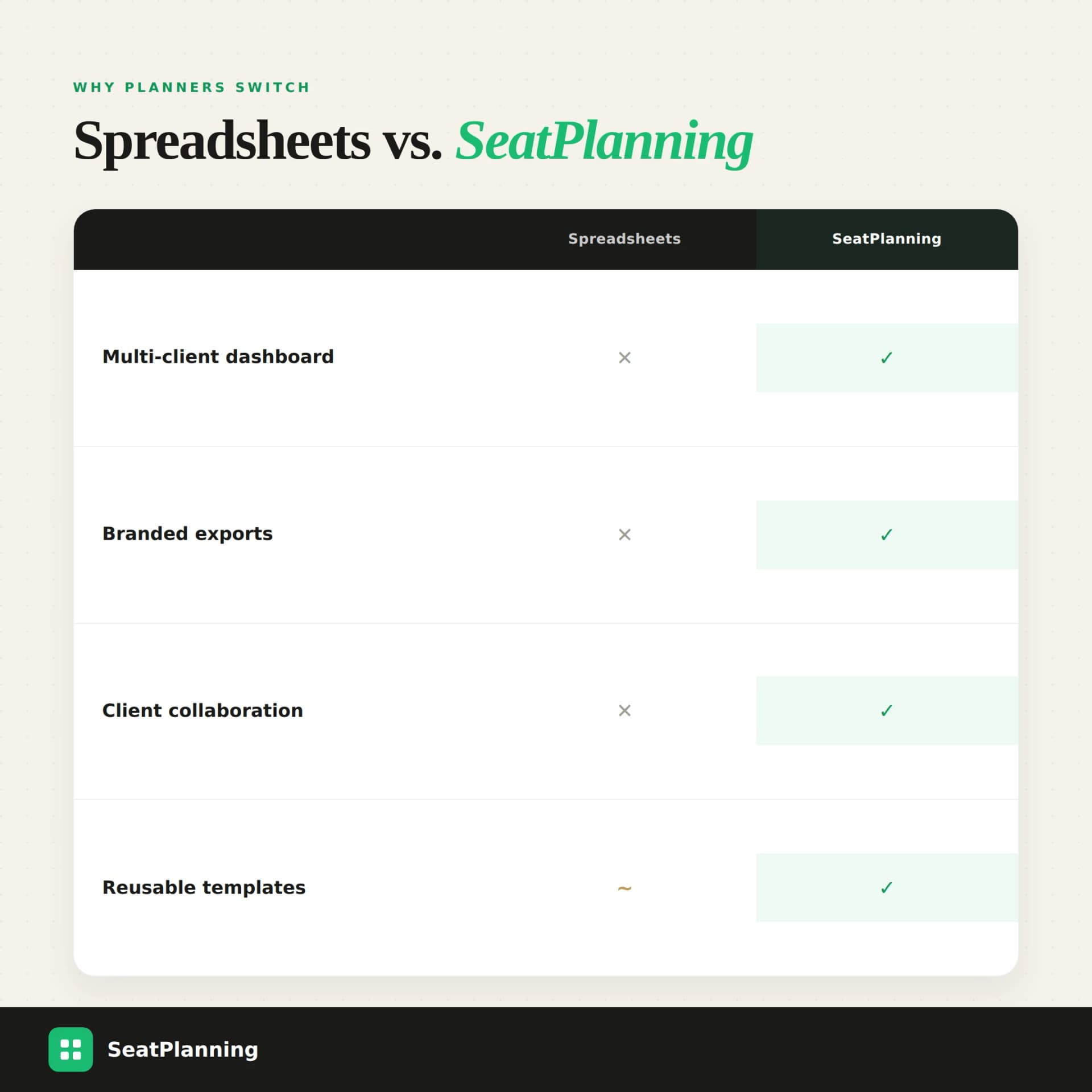
Comparison table showing spreadsheets versus SeatPlanning for multi-client dashboard, branded exports, client collaboration, and reusable templates
| Spreadsheets | Generic diagram tools | Built for event planners | |
|---|---|---|---|
| Multi-client dashboard | ❌ One file per client | ❌ One canvas at a time | ✅ |
| Client collaboration | ❌ Email/screenshots | ⭐⭐ Share a link, no roles | ✅ Permission-based roles |
| Branded exports | ❌ Manual formatting | ⭐⭐⭐ Possible, slow | ✅ Built-in |
| Guest list stays in sync | ❌ Manual copy-paste | ❌ Not guest-aware | ✅ Live import + RSVPs |
| Reusable templates | ⭐⭐ Copy a tab | ⭐⭐⭐ Copy a file | ✅ Purpose-built library |
Frequently Asked Questions
What is the best software for event planners to manage multiple clients?
Look for software with a multi-event dashboard, client collaboration roles, and branded exports — not just a single-event seating tool. SeatPlanning is built specifically for planners who run several clients' floor plans, guest lists, and approvals in parallel.
How do event planners keep guest lists in sync across multiple events?
By importing guest lists directly into the seating chart tool instead of a separate spreadsheet, so RSVPs, dietary tags, and table assignments live next to the canvas and update in one place instead of three.
Can clients review and approve a seating chart without an account?
Yes. Tools like SeatPlanning support client collaboration roles with view or edit permissions, so a client can review and comment on their floor plan without you exporting a new PDF every time something changes.
Is it worth paying for seating chart software if I only plan a few events a year?
If you plan events for clients rather than just yourself, yes — the time saved on rebuilding layouts, re-formatting exports, and chasing guest list updates across multiple projects pays for itself after one or two events.
What should a seating chart export look like for a client?
A client-ready export should carry your agency's branding, a clear legend, table numbers visible at a glance, and print-ready resolution — so the venue, caterer, and client can all read the same document without back-and-forth.
Run every client from one canvas
SeatPlanning's event planner tools bring the multi-event dashboard, branded exports, reusable templates, and client collaboration roles together in one place — so the next client doesn't mean starting from a blank spreadsheet again.
See the event planner workflow or start free today and bring your next client on board without the chaos.